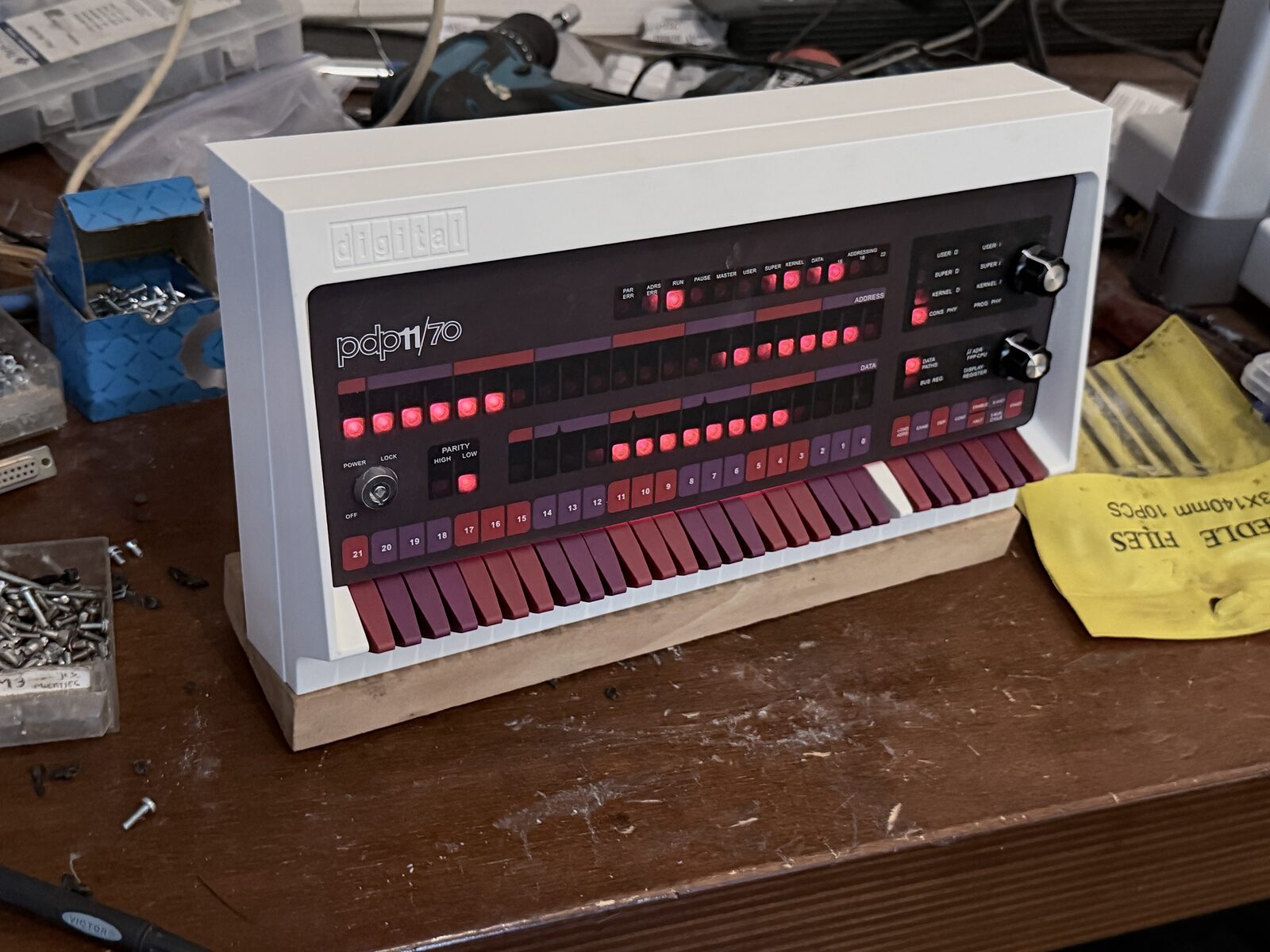
In 1978 or 1979 I programmed on a PDP-11/60 at the mathematics department of TU Delft. It was a "low boy" cabinet without blinkenlights, and you could extend its instruction set in microcode. It ran Unix V6, and what struck me most was that the complete source code of Unix was on the machine. I printed the sources of yacc and lex. As a student project we wrote a full-screen editor in C for the DEC VT100 terminals, called zed. Everybody loved it. It is lost now.
I still have a terminal from DEC's VT100 family, a VT131, and an LA120, DEC's printing terminal with a keyboard. Besides the 11/60, I also worked on PDP-11/70s in those days. So when I built a PiDP-11/70, a replica of that machine, both terminals had to be connected to it.
The PiDP-11
The PiDP-11/70 is a replica of the 11/70 front panel with a Raspberry Pi inside; mine is a Pi 3B+. The Pi runs SIMH, and the switches on the panel choose what to boot:
PiDP-11/70 boot menu - Set SR switches, depress address rotary switch to reboot
-------------------------------------------------------------------------------
0000    idled   0101    unixv1  0107    unix7   1001    idled
0001    rsx11mp 0102    211bsd  0113    sysiii  1002    blinky
0002    rsts7   0104    unix4   0115    sysv    2024    rsx11bq
0003    rt11    0105    unix5   0211    211bsd+
0004    dos11   0106    unix6   1000    nkrvs
The installer expects the default pi user. My first attempt under my own account ended in
errors about /home/pi/pdp.sh and a missing rpcbind.service. With a pi user, a second
run of install.sh was clean. A systemd unit starts SIMH at boot, straight into V6 (switch
setting 0106). Stopping SIMH can hang, so the unit gets a timeout:
ExecStart=/opt/pidp11/bin/pdp11control.sh start 106
TimeoutStopSec=10
Backspace on V6
Out of the box, V6 erases a character with # and kills the line with @. Backspace (^H)
moves the cursor back, but the character stays on the screen, and you can backspace right
past the start of the line. V6 was made for paper terminals, where nothing can be erased.
Terminal handling lives in the kernel, so the fix is in C. In ttyinput() in
/usr/sys/dmr/tty.c, the erase character now echoes \b \b instead of itself, so the
character really disappears. Then rebuild the kernel:
# chdir /usr/sys/dmr
# cc -c -O tty.c
# ar r ../lib2 tty.o
# chdir ../conf
# mkconf < myconf
# cc -c c.c
# as l.s
# ld -x a.out m40.o c.o ../lib1 ../lib2
# cp a.out /nunix
# sync
# sync
# sync
V6 has no .profile to run stty at every login, so I changed the defaults instead:
/usr/sys/tty.h:CERASEandCKILLto010(^H) and025(^U)./usr/source/s1/getty.c:ERASEandKILLthe same, because getty sets them on the line before it starts login./usr/source/s1/login.c: login switches echo off and on again around the password, and in doing so it put#and@back. Now it keeps whatever getty set.
While I was at it, the shell learned cd. The V6 shell only knows chdir; in
/usr/source/s2/sh.c that is one line:
if(equal(cp1, "chdir") || equal(cp1, "cd")) {
Compile with cc -s -n -O sh.c (-n gives pure text, so all running shells share the
code). To install it, mv /bin/sh /bin/osh first and then copy the new one in: V6 won't
overwrite a program that is running ("text busy"), but renaming it is fine.
The LA120
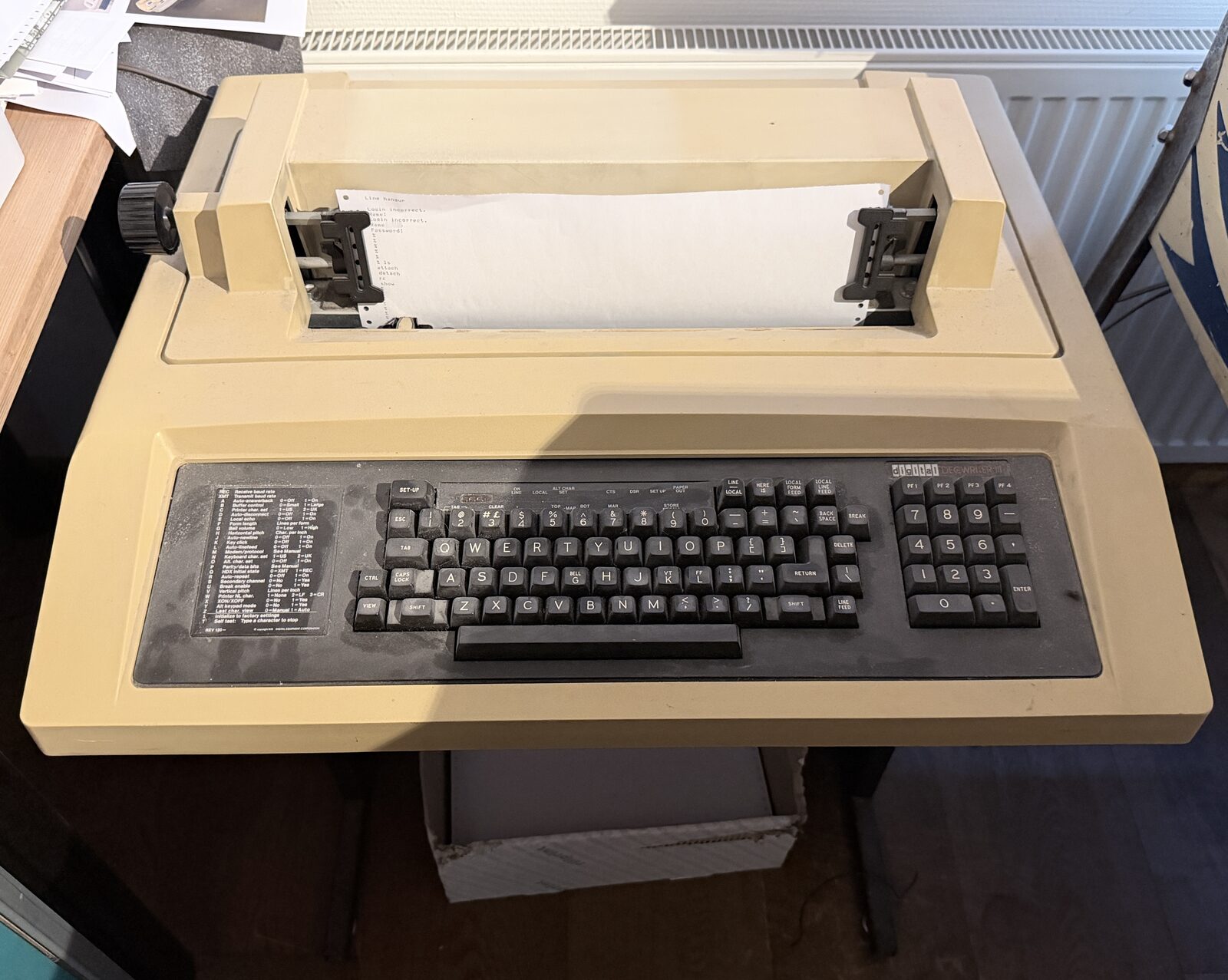
For the serial ports I use two USB-to-RS232 adapters with an FTDI FT232R chip; the first
one is Waveshare's industrial model. I measured the pins with a multimeter to see which side was which (pin 2 sits at
−5.2 V, so the adapter is wired as DCE) and soldered my own cables. A udev rule per adapter,
matched on the FTDI serial number, gives fixed names, /dev/la120 and /dev/vt100:
SUBSYSTEM=="tty", ATTRS{idVendor}=="0403", ATTRS{idProduct}=="6001", ATTRS{serial}=="<serial>", SYMLINK+="la120", GROUP="dialout", MODE="0660"
In SIMH, the LA120 is line 7 of the emulated DC11:
att dci line=7,connect=/dev/la120;9600-8N1
! stty -F /dev/la120 ixon opost onlcr
Each line in that second command fixed something:
| Symptom | Cause | Fix |
|---|---|---|
| Printer runs over after about 15 lines | The LA120 sends XON/XOFF, the host ignored ^S | ixon |
| No carriage returns, text comes out as a staircase | SIMH turns output processing off | opost onlcr |
| Settings gone after SIMH starts | SIMH sets the port when it attaches | the ! stty right after the attach |
The strangest problem was an endless loop of Line hangup. The V6 DC11 driver
(/usr/sys/dmr/dc.c) doesn't know 9600 baud: its speed table has a 0 there, without the
bit that keeps DTR up. When getty set the line to 9600, DTR dropped, SIMH saw a hangup,
reset the line, and it started over. The fix is to let getty set 1200 baud instead:
#define B1200 9
and B1200, B1200 in getty's table '2'. The real speed on the wire is whatever SIMH
says, 9600-8N1, so the printer still runs at 9600.
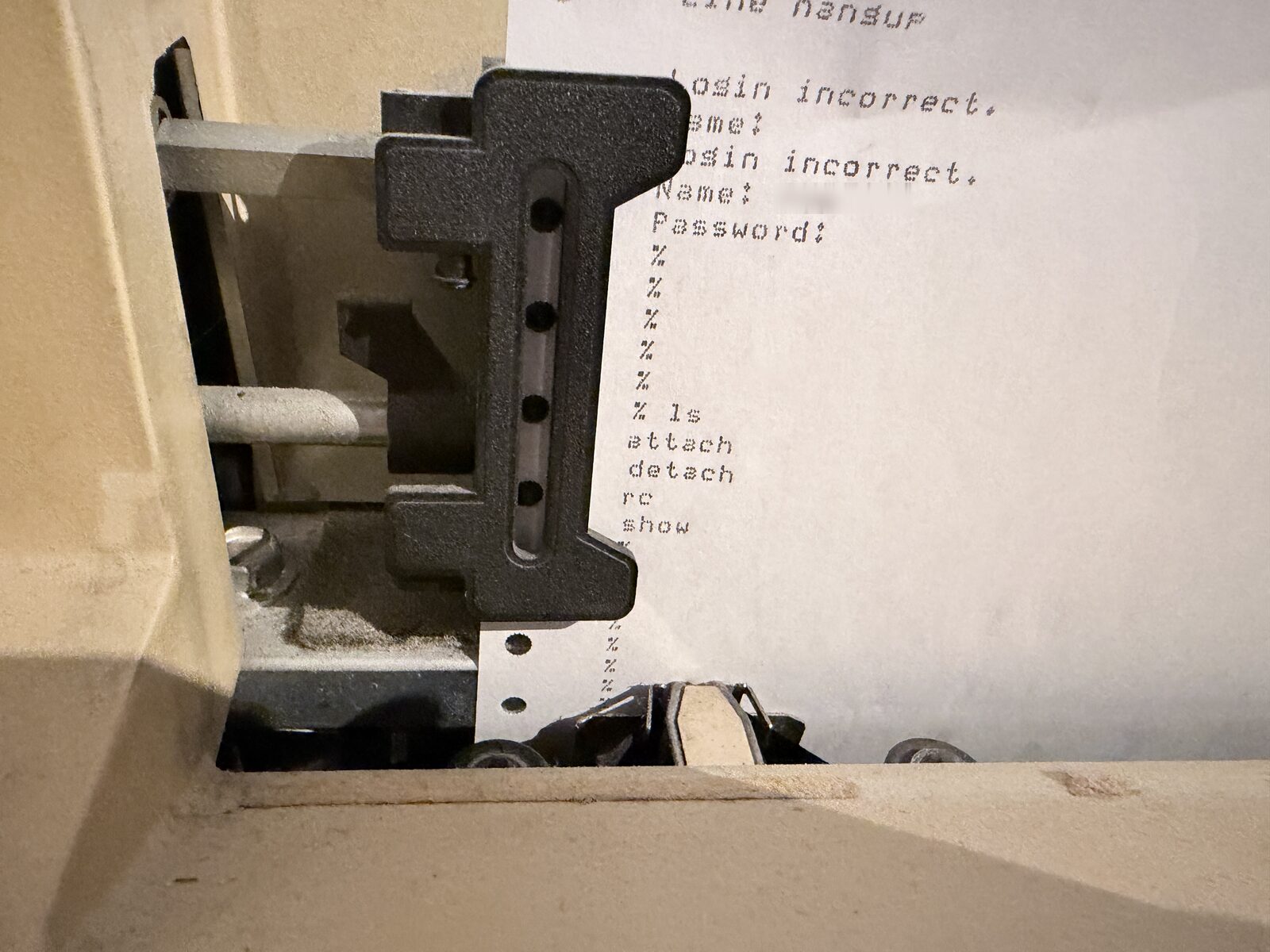
Line hangup, two failed logins and finally a shell.The VT131
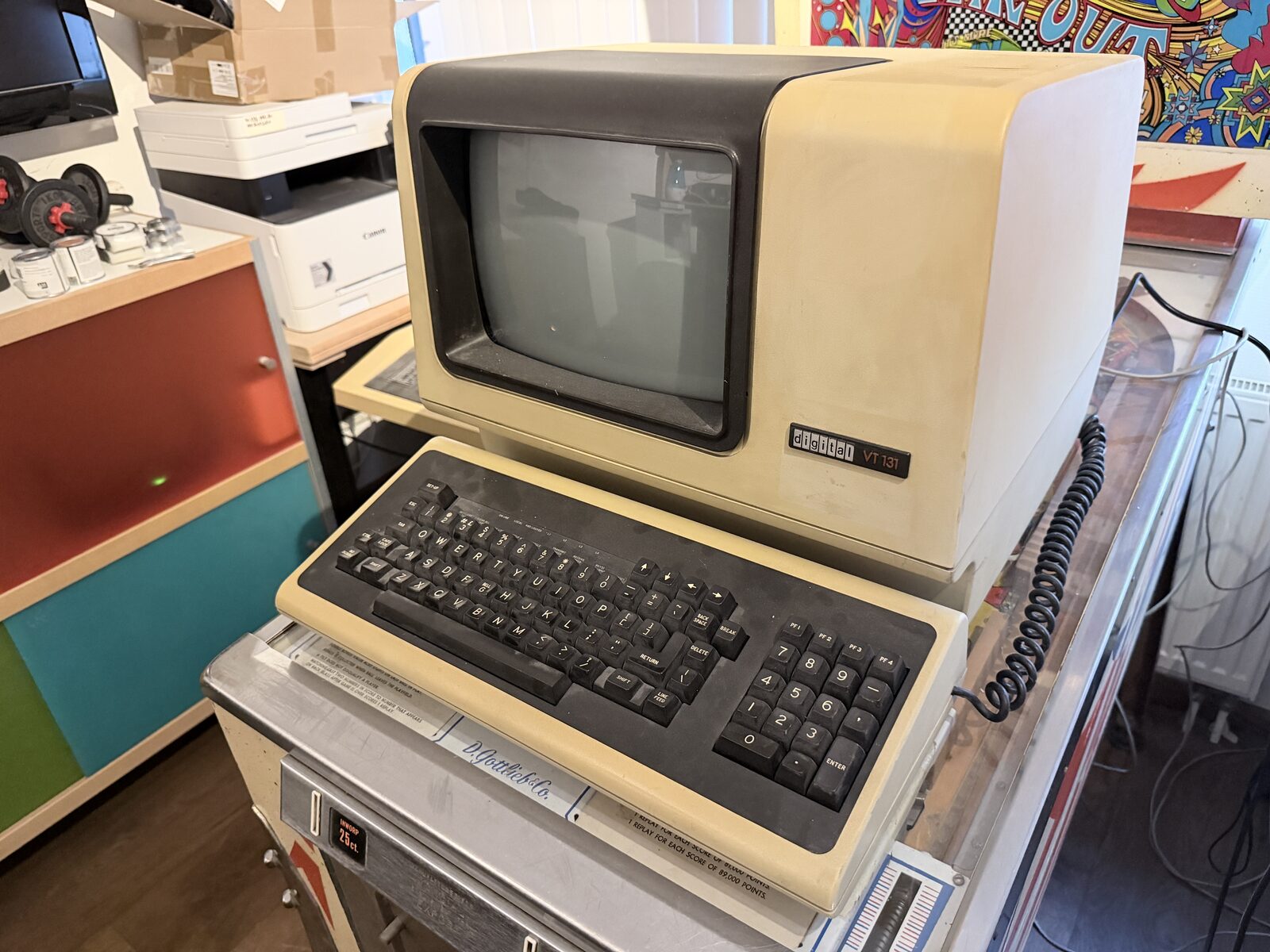
The VT131 went on the second adapter. The first test showed garbage, and after that, nothing: the terminal was still in LOCAL mode.
On my old Linux box the terminal had a login banner with DEC escape codes: "Login" in
double-height letters (ESC #3 for the top half, ESC #4 for the bottom half), in reverse,
bold and blinking. I wanted that on V6 too. On the Pi:
printf '\033[H\033[J\033[0m\r\n\033[7m\033[1m\033[5m\r\n\033#3 Login \r\n\033#4 Login \r\n\033[0m\r\nUnix V6 on a PDP-11/70\r\n\r\n' > /tmp/issue.v
That file went into V6 through the emulated paper tape reader, cp /dev/ppt /etc/issue.v:
82 bytes, the same as on the Pi. getty got a new table 'v' for the terminal and a few
lines to print the file before login:. In /etc/ttys, the entry for line 6 became 16v,
and the VT131 now shows its big blinking "Login" again, this time from Unix V6.